Prescripción Express (rápida y anónima)
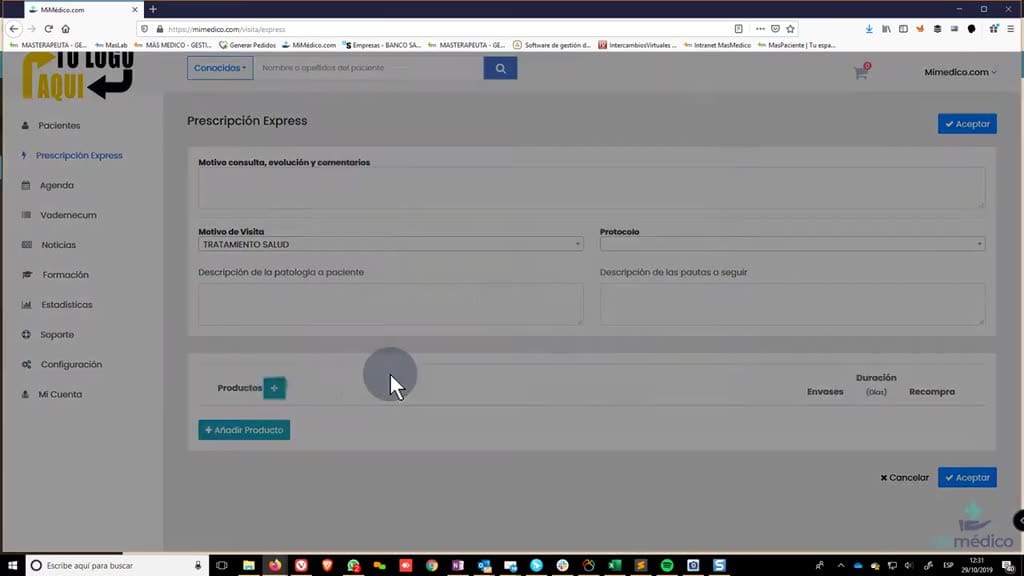
Creating an express or anonymous prescription on mimedico.com: To create a anonymous prescription on mimedico.com: To create a request for a relative we don't have request for a relative we don't have registered, we registered, we want to make a want
Tutorial MiMedico.com
Guía práctica generada a partir del vídeo tutorial de MiMedico.com.
Resumen
Creating an express or anonymous prescription on mimedico.com: To create a anonymous prescription on mimedico.com: To create a request for a relative we don't have request for a relative we don't have registered, we registered, we want to make a want to make a quick recommendation. We'll go to express prescriptions, quick recommendation. We'll go to express prescriptions, and here we have, as always, two and here we have, as always, two options: add products options: add products individually by visits and protocols. Now, when we must accept, it will show us a change, show us a change, and we know which patient we are and we know which patient we are making this request to. making this request to. An email will be sent by email, but it won't be done by me. If we add a new phone number, it will be sent by SMS. We new phone number, it will be sent by SMS.
Pasos del tutorial
1. Paso 1
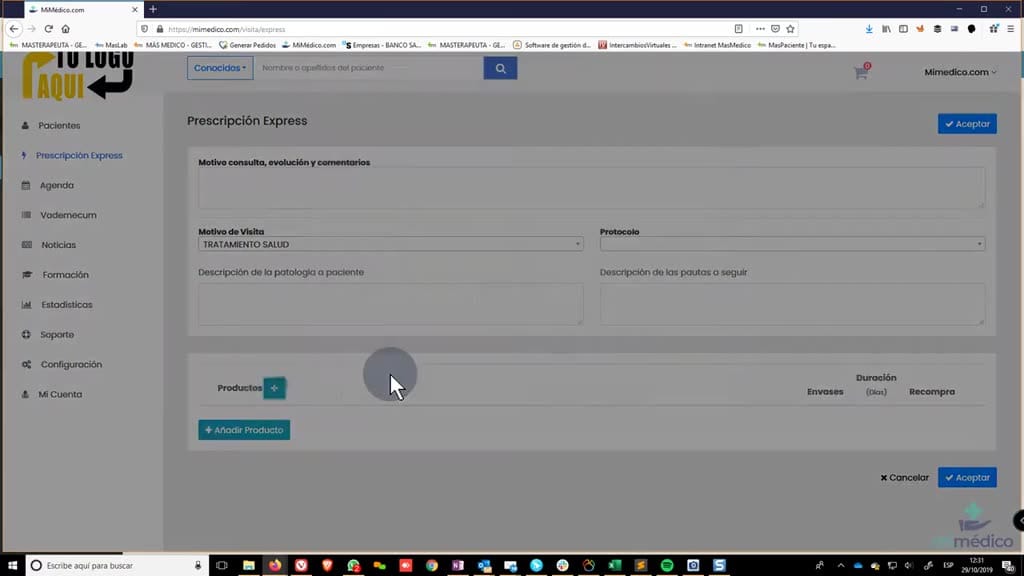
- Creating an express or anonymous prescription on mimedico.com: To create a anonymous prescription on mimedico.com: To create a request for a relative we don't have request for a relative we don't have registered, we registered, we want to make a
2. Paso 2
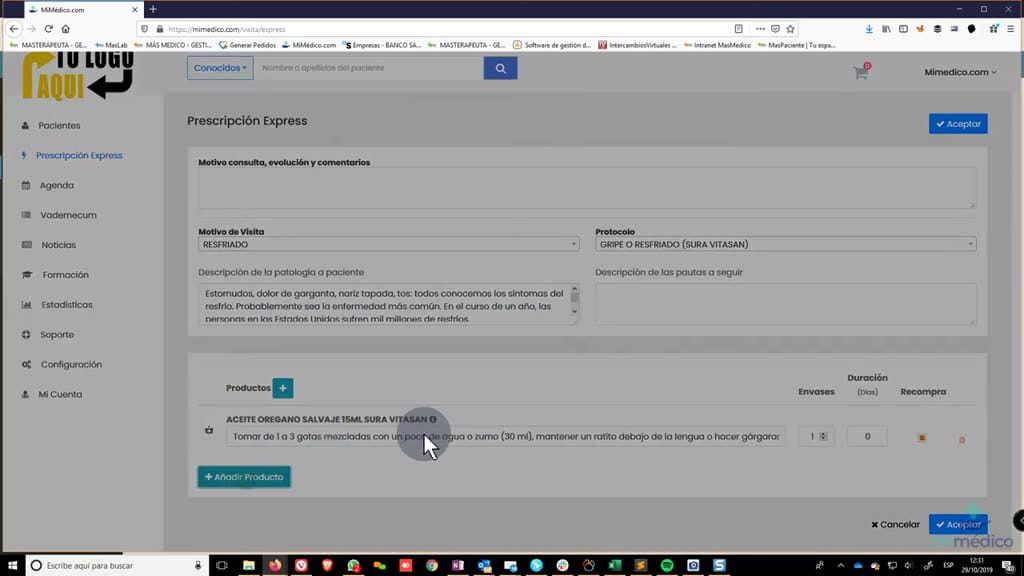
- want to make a quick recommendation. We'll go to express prescriptions, quick recommendation. We'll go to express prescriptions, and here we have, as always, two and here we have, as always, two options: add products options: add products individually by
3. Paso 3
- visits and protocols. Now, when we must accept, it will show us a change, show us a change, and we know which patient we are and we know which patient we are making this request to. making this request to. An email will be sent by email,
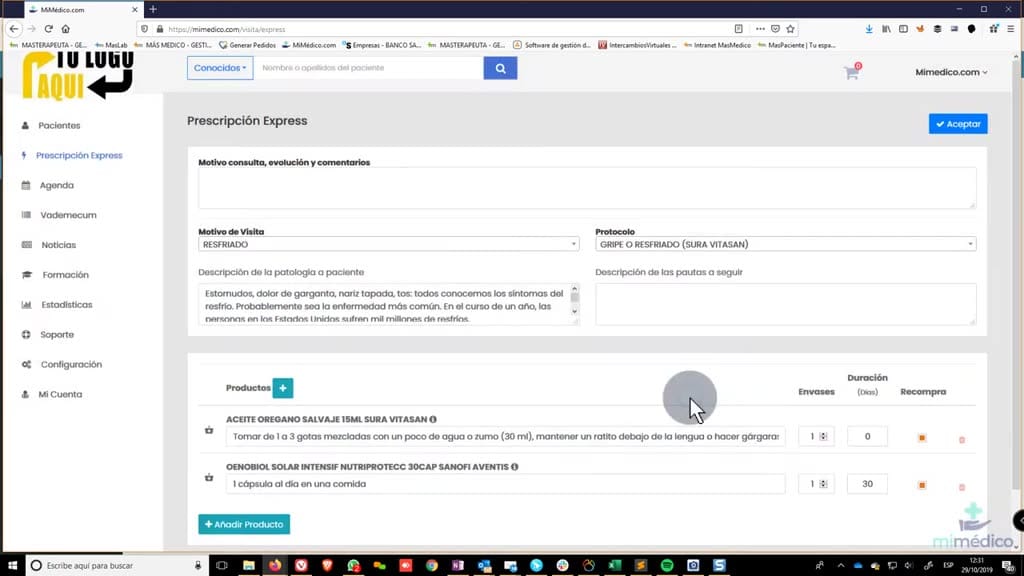
4. Paso 4
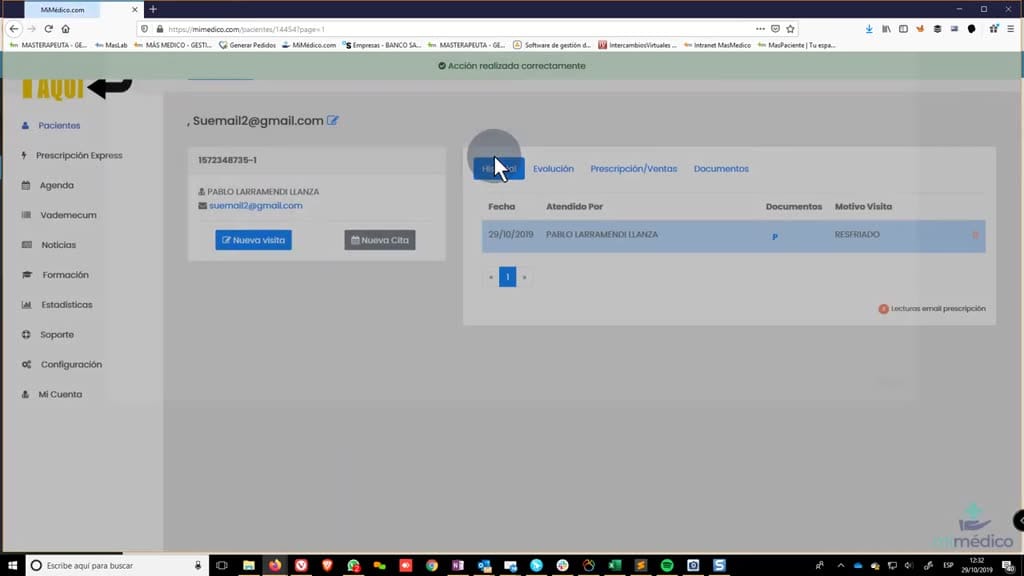
- but it won't be done by me. If we add a new phone number, it will be sent by SMS. We new phone number, it will be sent by SMS. We must accept, and it must accept, and it will show us will show us the prescription that our patient will have received
5. Paso 5
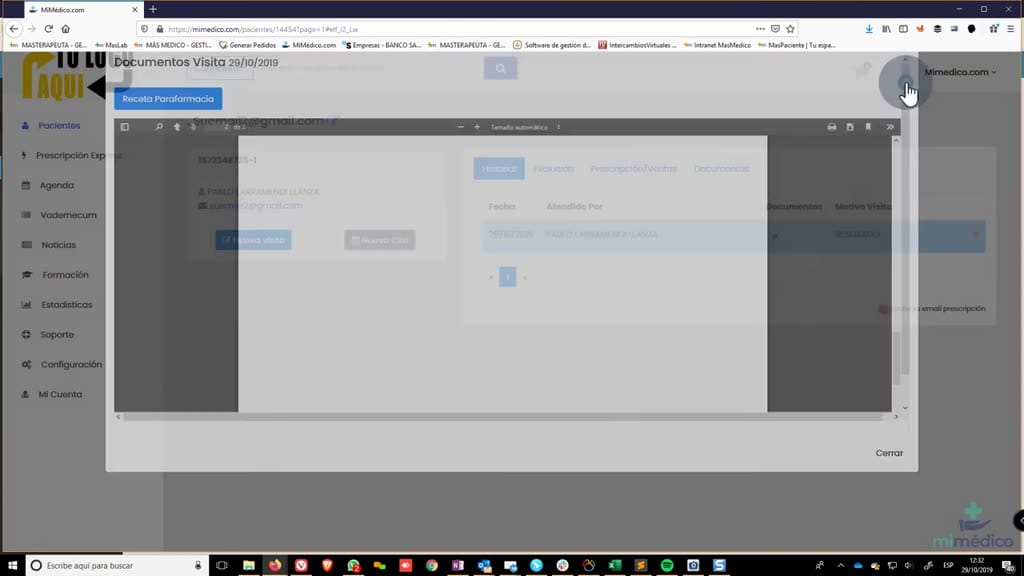
- the prescription that our patient will have received by email. It has by email. It has created a patient, one of those we created a patient, one of those we call unknown. We call unknown. We can search for unknown patients can search for unknown patients
6. Paso 6
- not by patient status but by the list of unknown relatives.
Preguntas frecuentes para soporte
¿Qué explica el tutorial Prescripción Express (rápida y anónima)?
Creating an express or anonymous prescription on mimedico.com: To create a anonymous prescription on mimedico.com: To create a request for a relative we don't have request for a relative we don't have registered, we registered, we want to make a want to make a quick recommendation. We'll go to express prescriptions, quick recommendation. We'll go to express prescriptions, and here we have, as always, two and here we have, as always, two options: add products options: add products individually by visits and protocols. Now, when we must accept, it will show us a change, show us a change, and we know which patient we are and we know which patient we are making this request to. making this request to. An email will be sent by email, but it won't be done by me. If we add a new phone number, it will be sent by SMS. We new phone number, it will be sent by SMS.
¿Dónde está el material fuente del tutorial?
El paquete local está en /mnt/d/Claude/claude-config/trabajos/MiMedico/Tutoriales/Prescripción Express (rápida y anónima) y el vídeo fuente es https://www.youtube.com/watch?v=-pPT6y5PRRU.
¿Para qué se usa esta fuente en soporte?
Se usa para responder dudas operativas sobre la funcionalidad de MiMedico.com mostrada en el vídeo.
Fuente: vídeo tutorial MiMedico. Material generado automáticamente por Morfeo y sincronizado con la biblioteca Tutoriales MiMedico.com.