Laboratorios y Productos favoritos en MiMédico.com
Welcome to a new tutorial from mi médico.com. My name is Pablo médico.com. My name is Pablo Larramendi. You can contact me by Larramendi. You can contact me by phone at 60 045 1806 or by email at ap phone at 60 045 1806 or by email at ap larramendi@m
Tutorial MiMedico.com
Guía práctica generada a partir del vídeo tutorial de MiMedico.com.
Resumen
Welcome to a new tutorial from mi médico.com. My name is Pablo médico.com. My name is Pablo Larramendi. You can contact me by Larramendi. You can contact me by phone at 60 045 1806 or by email at ap phone at 60 045 1806 or by email at ap larramendi@mi médico.com. Today larramendi@mi médico.com. Today we're going to introduce a new improvement: we're going to introduce a new improvement: the ability to select the ability to select favorite laboratories and favorite laboratories and favorite products. As you know, in the favorite products. As you know, in the news section, news section, you can filter by you can filter by the laboratories you've chosen as the laboratories you've chosen as favorites, both in the news section favorites, both in the news section and in the training section. and in the training section. To configure your To configure your favorite laboratories, go to favorite laboratories, go to settings > laboratories. There you'll settings > laboratories.
Pasos del tutorial
1. Paso 1
- Welcome to a new tutorial from mi médico.com. My name is Pablo médico.com. My name is Pablo Larramendi. You can contact me by Larramendi. You can contact me by phone at 60 045 1806 or by email at ap
2. Paso 2
- phone at 60 045 1806 or by email at ap larramendi@mi médico.com. Today larramendi@mi médico.com. Today we're going to introduce a new improvement: we're going to introduce a new improvement: the ability to select the ability to select favorite laboratories and
3. Paso 3
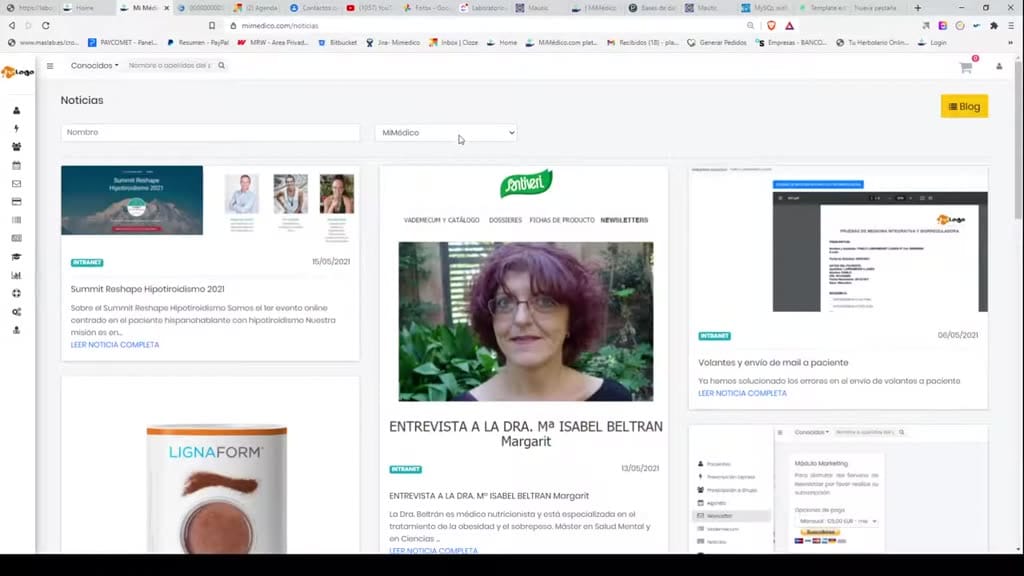
- favorite laboratories and favorite products. As you know, in the favorite products. As you know, in the news section, news section, you can filter by you can filter by the laboratories you've chosen as
4. Paso 4
- the laboratories you've chosen as favorites, both in the news section favorites, both in the news section and in the training section. and in the training section. To configure your To configure your favorite laboratories, go to
5. Paso 5
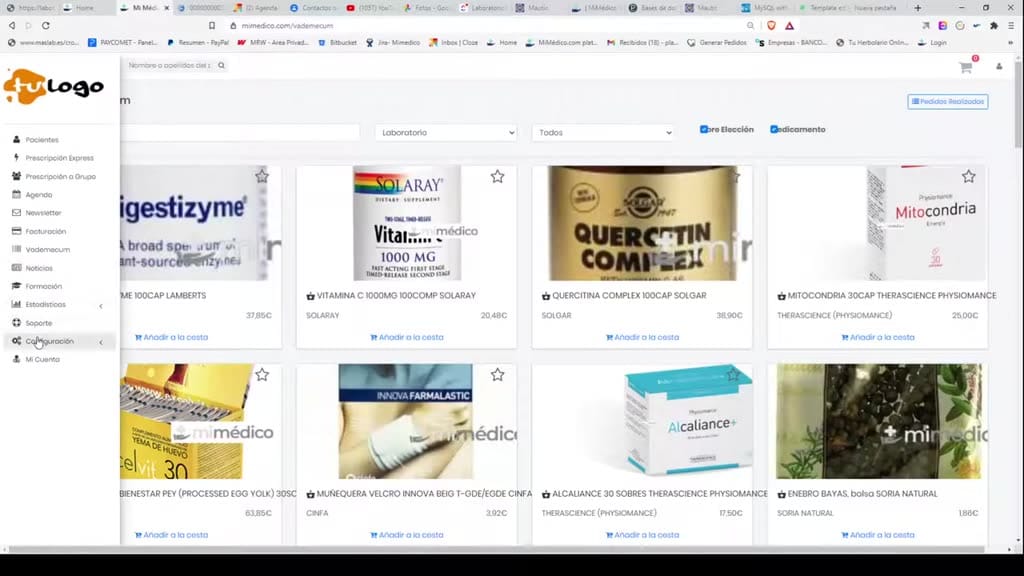
- favorite laboratories, go to settings > laboratories. There you'll settings > laboratories. There you'll find the laboratory name. For find the laboratory name. For example, I'll use FN, which I already
6. Paso 6
- example, I'll use FN, which I already have marked as a favorite. I would have marked as a favorite. I would unmark it to unmark it to mark it as a favorite. mark it as a favorite. Clicking on the Clicking on the laboratory name shows me the products from the
7. Paso 7
- laboratory name shows me the products from the LCN laboratory, where I LCN laboratory, where I can also filter by product and add, for example, a product from Dos as a for example, a product from Dos as a favorite. This will allow us to
8. Paso 8
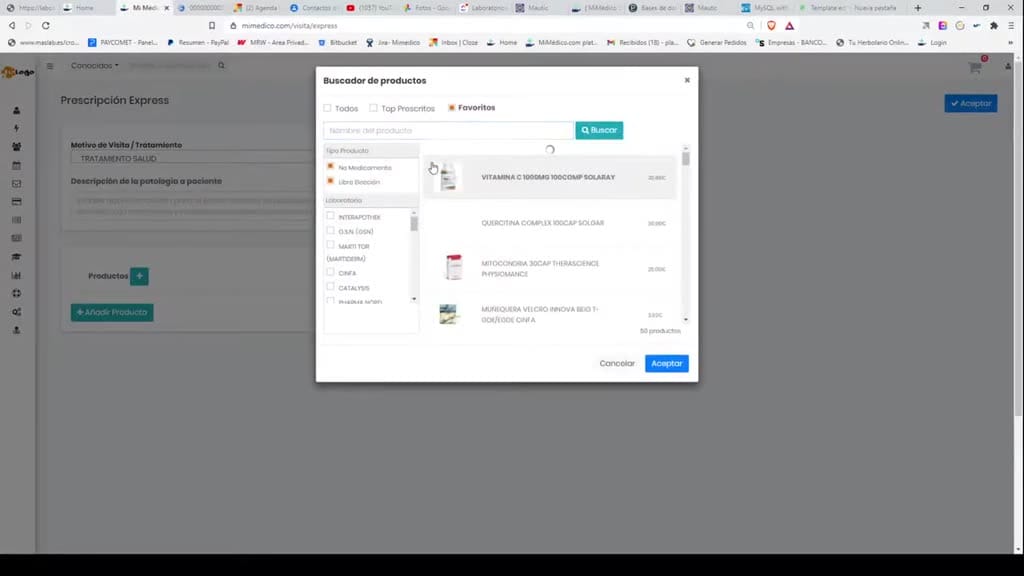
- will allow us to create a specific search during the search. If I create a specific search during the search. If I add the product and go add the product and go to favorite products, it will filter
9. Paso 9
- to favorite products, it will filter directly by the products I directly by the products I have marked as favorites. have marked as favorites. Searching within those Searching within those favorite products we've marked
10. Paso 10
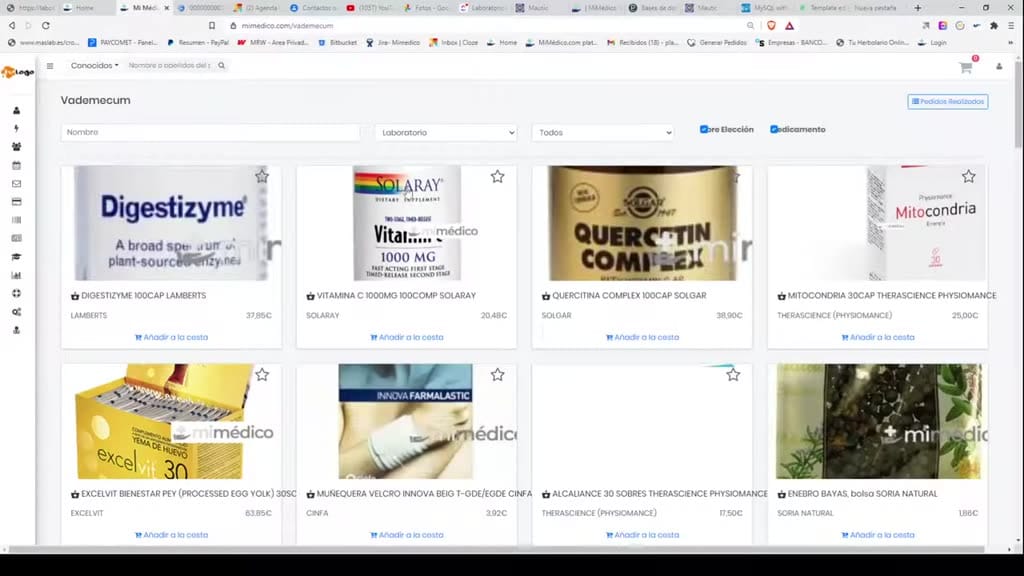
- favorite products we've marked already allowed a way to create already allowed a way to create favorite products through the product catalog favorite products through the product catalog simply by clicking on the product page and
Preguntas frecuentes para soporte
¿Qué explica el tutorial Laboratorios y Productos favoritos en MiMédico.com?
Welcome to a new tutorial from mi médico.com. My name is Pablo médico.com. My name is Pablo Larramendi. You can contact me by Larramendi. You can contact me by phone at 60 045 1806 or by email at ap phone at 60 045 1806 or by email at ap larramendi@mi médico.com. Today larramendi@mi médico.com. Today we're going to introduce a new improvement: we're going to introduce a new improvement: the ability to select the ability to select favorite laboratories and favorite laboratories and favorite products. As you know, in the favorite products. As you know, in the news section, news section, you can filter by you can filter by the laboratories you've chosen as the laboratories you've chosen as favorites, both in the news section favorites, both in the news section and in the training section. and in the training section. To configure your To configure your favorite laboratories, go to favorite laboratories, go to settings > laboratories. There you'll settings > laboratories.
¿Dónde está el material fuente del tutorial?
El paquete local está en /mnt/d/Claude/claude-config/trabajos/MiMedico/Tutoriales/Laboratorios y Productos favoritos en MiMédico.com y el vídeo fuente es https://www.youtube.com/watch?v=hvZJ3TgTFyM.
¿Para qué se usa esta fuente en soporte?
Se usa para responder dudas operativas sobre la funcionalidad de MiMedico.com mostrada en el vídeo.
Fuente: vídeo tutorial MiMedico. Material generado automáticamente por Morfeo y sincronizado con la biblioteca Tutoriales MiMedico.com.