Configurar Email de Consulta
Good morning and welcome to a new video tutorial from mimédico.com. I'm video tutorial from mimédico.com. I'm Pablo Larramendi, and I'm going to explain the Pablo Larramendi, and I'm going to explain the new features we've been introducing new featur
Tutorial MiMedico.com
Guía práctica generada a partir del vídeo tutorial de MiMedico.com.
Resumen
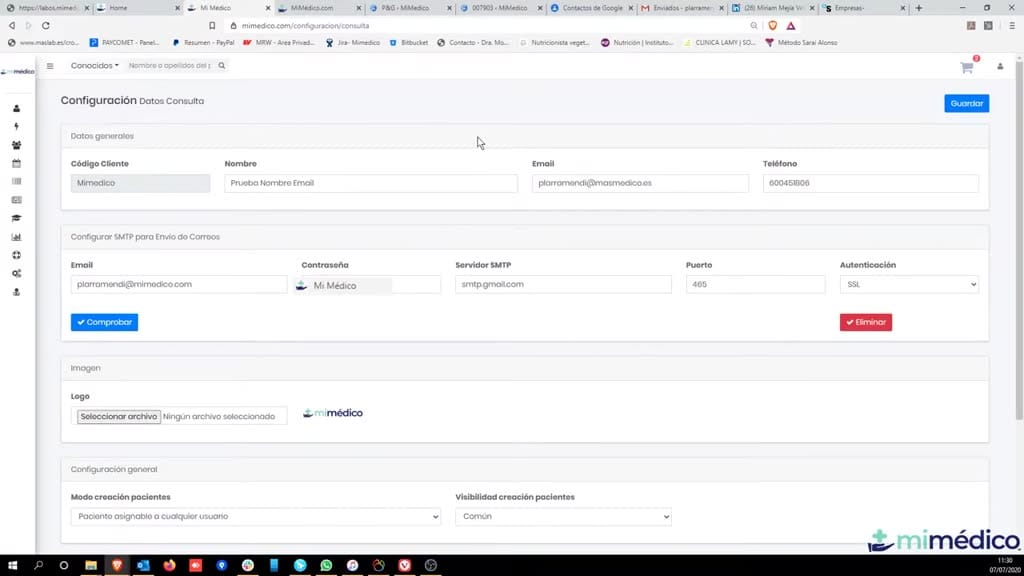
Good morning and welcome to a new video tutorial from mimédico.com. I'm video tutorial from mimédico.com. I'm Pablo Larramendi, and I'm going to explain the Pablo Larramendi, and I'm going to explain the new features we've been introducing new features we've been introducing to mimédico.com in recent to mimédico.com in recent weeks, mainly focused on weeks, mainly focused on improving communication with improving communication with patients, especially email sending. patients, especially email sending. As you can see, what we've added now is the ability to the ability to configure your own consultation email address in the configure your own consultation email address in the consultation details settings. This allows you to send all communication from send all communication from the platform using your own email address. This means the platform using your own email address.
Pasos del tutorial
1. Paso 1
- Good morning and welcome to a new video tutorial from mimédico.com. I'm video tutorial from mimédico.com. I'm Pablo Larramendi, and I'm going to explain the Pablo Larramendi, and I'm going to explain the new features we've been introducing
2. Paso 2
- new features we've been introducing to mimédico.com in recent to mimédico.com in recent weeks, mainly focused on weeks, mainly focused on improving communication with improving communication with patients, especially email sending.
3. Paso 3
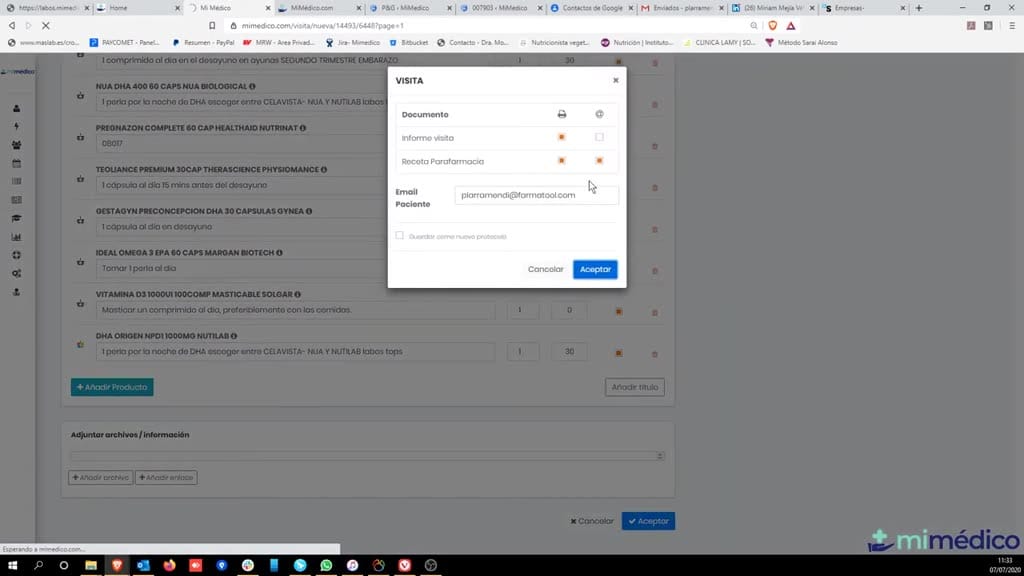
- patients, especially email sending. As you can see, what we've added now is the ability to the ability to configure your own consultation email address in the configure your own consultation email address in the
4. Paso 4
- consultation details settings. This allows you to send all communication from send all communication from the platform using your own email address. This means the platform using your own email address. This means that that everything we send—subscriptions,
5. Paso 5
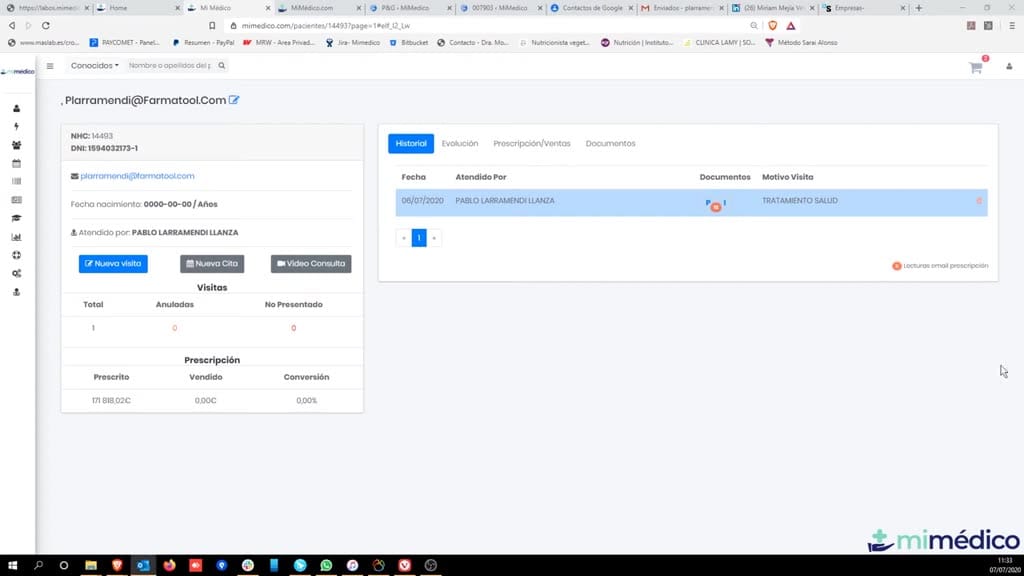
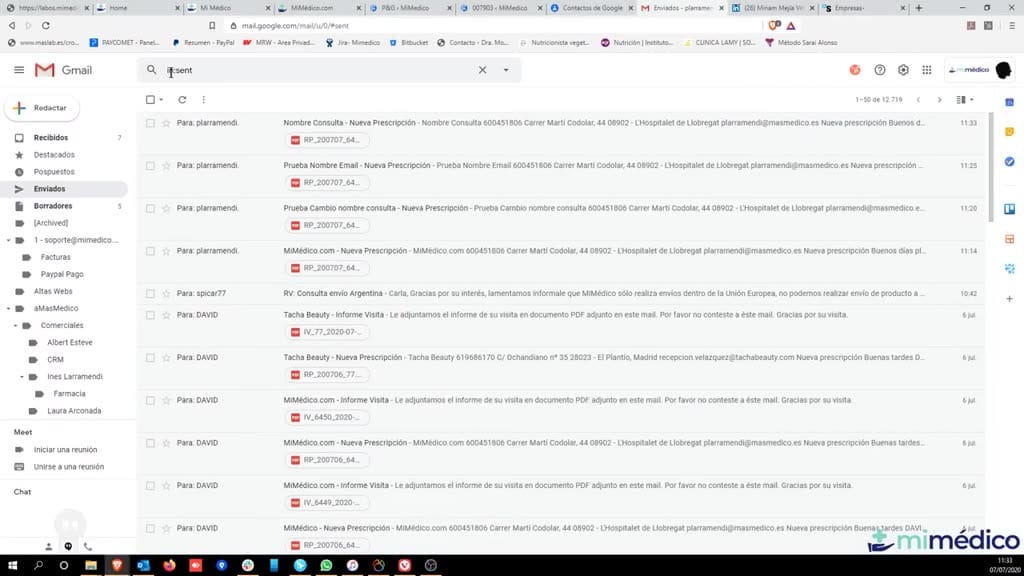
- everything we send—subscriptions, flyers, flyers, and all other and all other communication from mimédico.com—will be communication from mimédico.com—will be sent through your own sent through your own email. This allows us to
6. Paso 6
- email. This allows us to have a copy of all have a copy of all communication in communication in your sent items folder your sent items folder of the account you of the account you 've configured here. On the other hand,
7. Paso 7
- 've configured here. On the other hand, if there's any problem delivering the email, we'll receive a notification in our if there's any problem delivering the email, we'll receive a notification in our inbox. Imagine we've inbox. Imagine we've misspelled a
8. Paso 8
- misspelled a patient's email address; if our email account patient's email address; if our email account can't deliver it, we'll can't deliver it, we'll get a notification in our inbox. It get a notification in our inbox. It has found the
9. Paso 9
- has found the recipient or whatever, recipient or whatever, and this way we will also prevent emails from and this way we will also prevent emails from leaving our generic system. leaving our generic system. Since we send so many emails, we
10. Paso 10
- Since we send so many emails, we sometimes get sometimes get blacklisted, and for example, blacklisted, and for example, we are currently having a delivery problem with we are currently having a delivery problem with all emails to
Preguntas frecuentes para soporte
¿Qué explica el tutorial Configurar Email de Consulta?
Good morning and welcome to a new video tutorial from mimédico.com. I'm video tutorial from mimédico.com. I'm Pablo Larramendi, and I'm going to explain the Pablo Larramendi, and I'm going to explain the new features we've been introducing new features we've been introducing to mimédico.com in recent to mimédico.com in recent weeks, mainly focused on weeks, mainly focused on improving communication with improving communication with patients, especially email sending. patients, especially email sending. As you can see, what we've added now is the ability to the ability to configure your own consultation email address in the configure your own consultation email address in the consultation details settings. This allows you to send all communication from send all communication from the platform using your own email address. This means the platform using your own email address.
¿Dónde está el material fuente del tutorial?
El paquete local está en /mnt/d/Claude/claude-config/trabajos/MiMedico/Tutoriales/Configurar Email de Consulta y el vídeo fuente es https://www.youtube.com/watch?v=rKRYuYhGy84.
¿Para qué se usa esta fuente en soporte?
Se usa para responder dudas operativas sobre la funcionalidad de MiMedico.com mostrada en el vídeo.
Fuente: vídeo tutorial MiMedico. Material generado automáticamente por Morfeo y sincronizado con la biblioteca Tutoriales MiMedico.com.