76 Recordatorio cita WhatsApp
Welcome to a new video tutorial from mimed.com. My name is Pablo Larramendi, and mimed.com. My name is Pablo Larramendi, and today we're going to look at the new features for sending today we're going to look at the new features for sending appointme
Tutorial MiMedico.com
Guía práctica generada a partir del vídeo tutorial de MiMedico.com.
Resumen
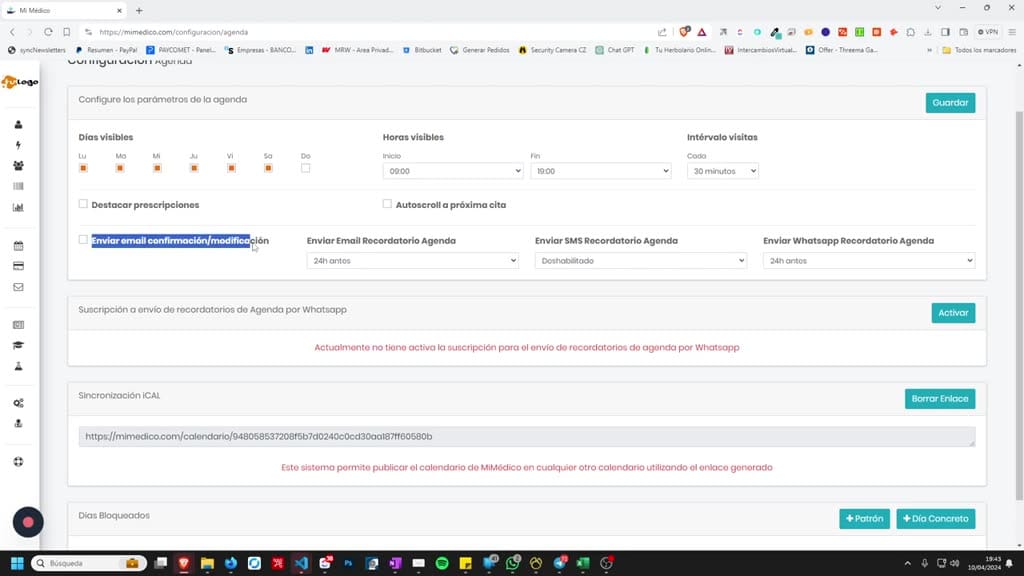
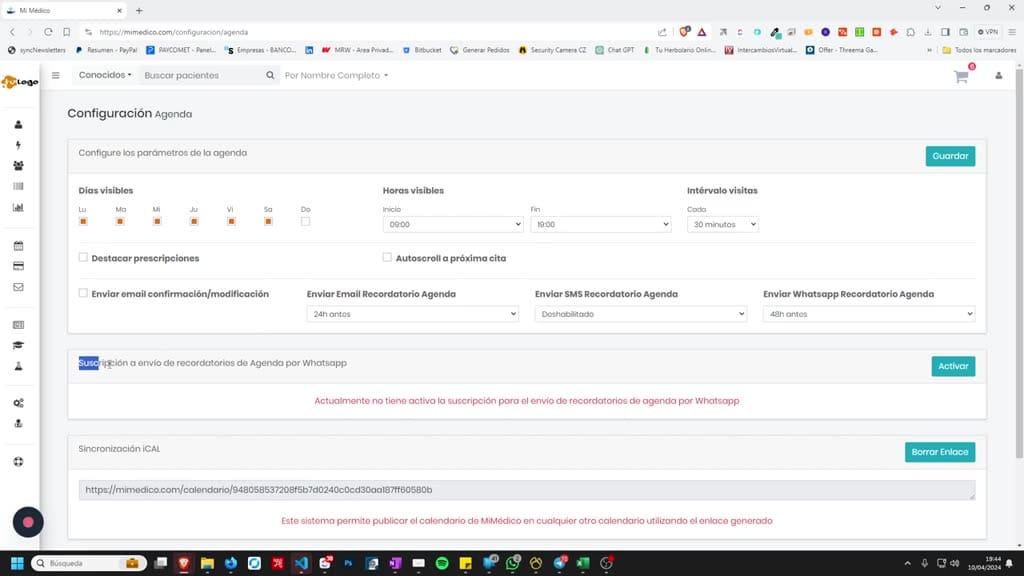
Welcome to a new video tutorial from mimed.com. My name is Pablo Larramendi, and mimed.com. My name is Pablo Larramendi, and today we're going to look at the new features for sending today we're going to look at the new features for sending appointment reminders via appointment reminders via WhatsApp. Remember that in the appointment WhatsApp. Remember that in the appointment calendar settings, we can send confirmation and modification emails for any appointment we create. We can send an We can send an appointment reminder by email 448 to 72 hours before appointment reminder by email 448 to 72 hours before the appointment, or the appointment, or disable this feature. We can also send disable this feature. We can also send this reminder by SMS by topping up our this reminder by SMS by topping up our SMS balance. Each SMS costs 10 SMS balance. Each SMS costs 10 cents. We also have this new feature: cents.
Pasos del tutorial
1. Paso 1
- Welcome to a new video tutorial from mimed.com. My name is Pablo Larramendi, and mimed.com. My name is Pablo Larramendi, and today we're going to look at the new features for sending
2. Paso 2
- today we're going to look at the new features for sending appointment reminders via appointment reminders via WhatsApp. Remember that in the appointment WhatsApp. Remember that in the appointment
3. Paso 3
- calendar settings, we can send confirmation and modification emails for any appointment we create. We can send an We can send an appointment reminder by email 448 to 72 hours before appointment reminder by email 448 to 72 hours before the appointment, or
4. Paso 4
- the appointment, or disable this feature. We can also send disable this feature. We can also send this reminder by SMS by topping up our this reminder by SMS by topping up our SMS balance. Each SMS costs 10
5. Paso 5
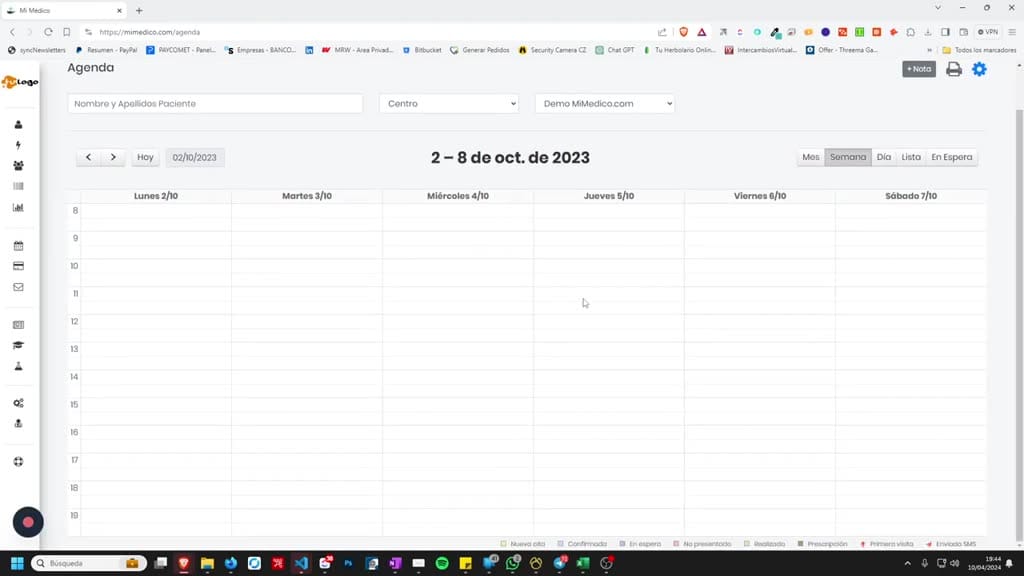
- SMS balance. Each SMS costs 10 cents. We also have this new feature: cents. We also have this new feature: sending appointment reminders sending appointment reminders via WhatsApp. If we activate it and
6. Paso 6
- via WhatsApp. If we activate it and save, we'll see "Subscription save, we'll see "Subscription to appointment reminders via WhatsApp." If we to appointment reminders via WhatsApp." If we click the "Activate" button,
7. Paso 7
- click the "Activate" button, the subscription screen will appear. This service has a the subscription screen will appear. This service has a flat rate of €5 per month, and flat rate of €5 per month, and we can pay via PayPal. Once we can pay via PayPal. Once
8. Paso 8
- the fee is paid, fee is paid, the service will appear as activated. the service will appear as activated. If I refresh the page, I'll see that it's already If I refresh the page, I'll see that it's already activated. Now, if I create any
9. Paso 9
- activated. Now, if I create any appointment in the calendar, it will send the patient a reminder. The text a reminder. The text will say: "We remind you that you have an appointment
10. Paso 10
- will say: "We remind you that you have an appointment at clinic [office name] on [date] at [time]." at clinic [office name] on [date] at [time]." Phone number and email address Phone number and email address for the practice in case
Preguntas frecuentes para soporte
¿Qué explica el tutorial 76 Recordatorio cita WhatsApp?
Welcome to a new video tutorial from mimed.com. My name is Pablo Larramendi, and mimed.com. My name is Pablo Larramendi, and today we're going to look at the new features for sending today we're going to look at the new features for sending appointment reminders via appointment reminders via WhatsApp. Remember that in the appointment WhatsApp. Remember that in the appointment calendar settings, we can send confirmation and modification emails for any appointment we create. We can send an We can send an appointment reminder by email 448 to 72 hours before appointment reminder by email 448 to 72 hours before the appointment, or the appointment, or disable this feature. We can also send disable this feature. We can also send this reminder by SMS by topping up our this reminder by SMS by topping up our SMS balance. Each SMS costs 10 SMS balance. Each SMS costs 10 cents. We also have this new feature: cents.
¿Dónde está el material fuente del tutorial?
El paquete local está en /mnt/d/Claude/claude-config/trabajos/MiMedico/Tutoriales/76 Recordatorio cita WhatsApp y el vídeo fuente es https://www.youtube.com/watch?v=le4d8dz9fFU.
¿Para qué se usa esta fuente en soporte?
Se usa para responder dudas operativas sobre la funcionalidad de MiMedico.com mostrada en el vídeo.
Fuente: vídeo tutorial MiMedico. Material generado automáticamente por Morfeo y sincronizado con la biblioteca Tutoriales MiMedico.com.