3 1 Llamada Entrante Cambio Contraseña
Another scenario we'll be receiving with calls is that the person doesn't receiving with calls is that the person doesn't know how to use or doesn't remember their know how to use or doesn't remember their password.
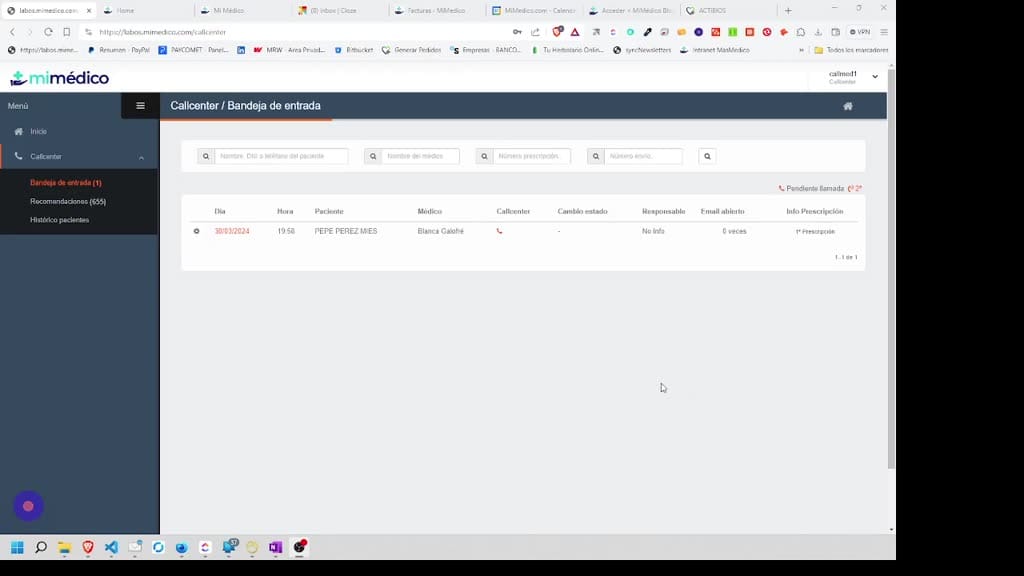
Tutorial MiMedico.com
Guía práctica generada a partir del vídeo tutorial de MiMedico.com.
Resumen
Another scenario we'll be receiving with calls is that the person doesn't receiving with calls is that the person doesn't know how to use or doesn't remember their know how to use or doesn't remember their password. Okay, for that, we're going to password. Okay, for that, we're going to go to the patient history option. go to the patient history option. Okay, and here we can Okay, and here we can search for the patient using different search for the patient using different fields. The easiest of all, because we fields. The easiest of all, because we 're seeing it on our 're seeing it on our phone screen, is searching by phone number. Okay, if phone screen, is searching by phone number. Okay, if I enter 666 555 777 and press search, it will I enter 666 555 777 and press search, it will find Pérez, find Pérez, Pepe Pérez. Okay, I Pepe Pérez. Okay, I could also search for him by by name, or surname, for example. Okay, if I search for Pérez, name, or surname, for example.
Pasos del tutorial
1. Paso 1
- Another scenario we'll be receiving with calls is that the person doesn't receiving with calls is that the person doesn't know how to use or doesn't remember their know how to use or doesn't remember their password. Okay, for that, we're going to
2. Paso 2
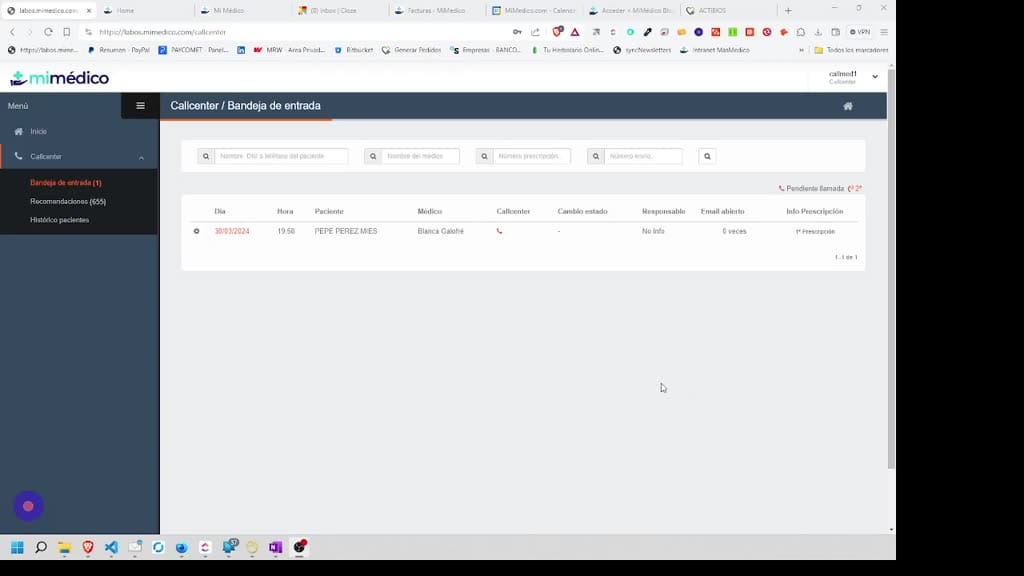
- password. Okay, for that, we're going to go to the patient history option. go to the patient history option. Okay, and here we can Okay, and here we can search for the patient using different
3. Paso 3
- search for the patient using different fields. The easiest of all, because we fields. The easiest of all, because we 're seeing it on our 're seeing it on our phone screen, is searching by phone number. Okay, if
4. Paso 4
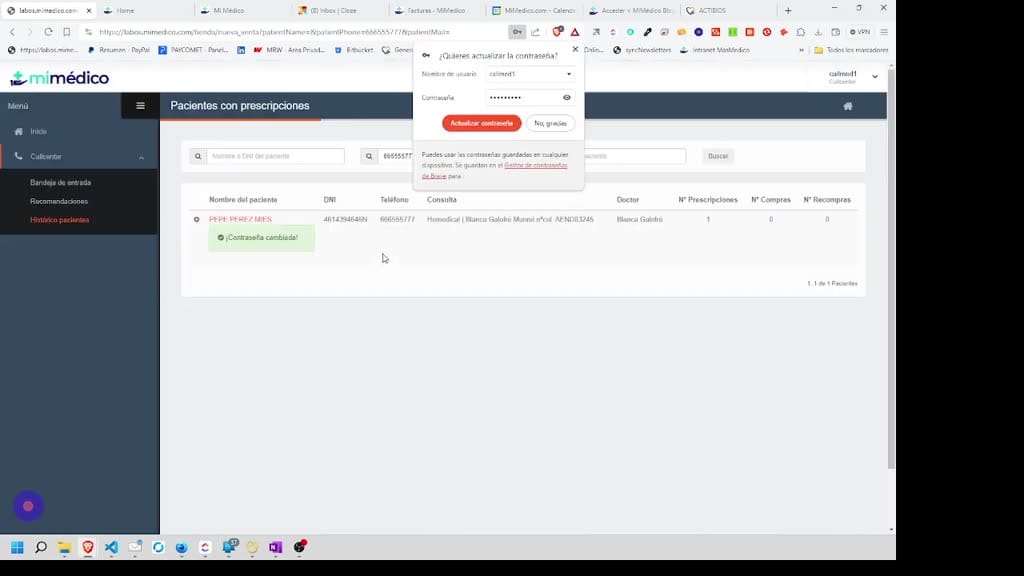
- phone screen, is searching by phone number. Okay, if I enter 666 555 777 and press search, it will I enter 666 555 777 and press search, it will find Pérez, find Pérez, Pepe Pérez. Okay, I Pepe Pérez. Okay, I could also search for him by
5. Paso 5
- by name, or surname, for example. Okay, if I search for Pérez, name, or surname, for example. Okay, if I search for Pérez, then then PP comes up in this case. Okay, or I could PP comes up in this case. Okay, or I could also search for him by ID number. I could
6. Paso 6
- also search for him by ID number. I could ask for it and search by ID number. Or I ask for it and search by ID number. Or I could also search for him by email. I think I could also search for him by email. I think I entered entered
7. Paso 7
- email@patient.com, I press search, but no, it's not that. I do n't know what email I entered, n't know what email I entered, but anyway, I can search for the patient using but anyway, I can search for the patient using many fields. Okay, I insist, the
8. Paso 8
- many fields. Okay, I insist, the easiest is the phone number. Okay, easiest is the phone number. Okay, once I've searched for the patient with once I've searched for the patient with the number On the phone, we usually
9. Paso 9
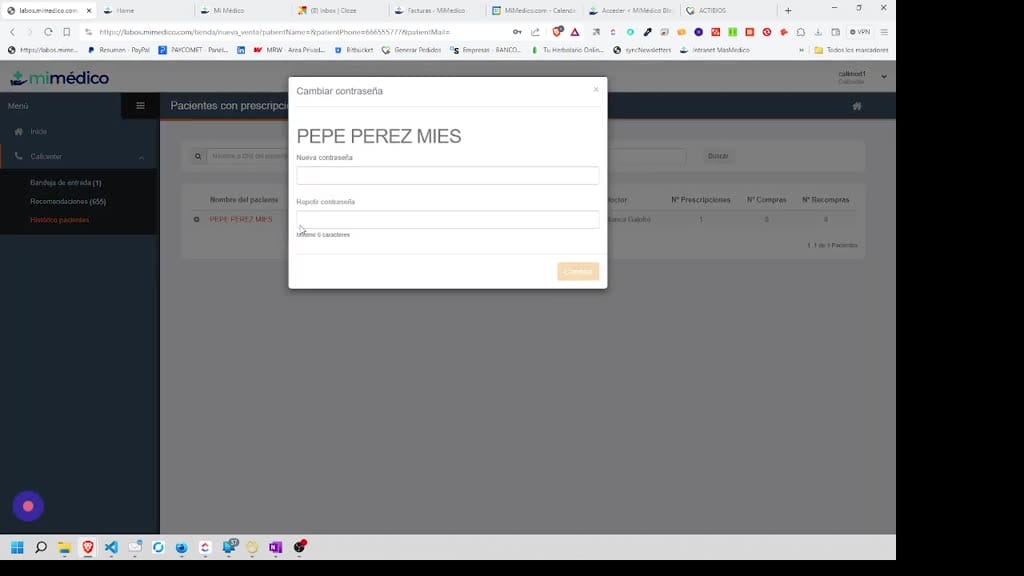
- the number On the phone, we usually copy the copy the phone number and then, using the little gear icon, we phone number and then, using the little gear icon, we can change the password. Okay,
10. Paso 10
- can change the password. Okay, because they call us because they do because they call us because they do n't remember their password. Okay, n't remember their password. Okay, so we're simply going to set a
Preguntas frecuentes para soporte
¿Qué explica el tutorial 3 1 Llamada Entrante Cambio Contraseña?
Another scenario we'll be receiving with calls is that the person doesn't receiving with calls is that the person doesn't know how to use or doesn't remember their know how to use or doesn't remember their password. Okay, for that, we're going to password. Okay, for that, we're going to go to the patient history option. go to the patient history option. Okay, and here we can Okay, and here we can search for the patient using different search for the patient using different fields. The easiest of all, because we fields. The easiest of all, because we 're seeing it on our 're seeing it on our phone screen, is searching by phone number. Okay, if phone screen, is searching by phone number. Okay, if I enter 666 555 777 and press search, it will I enter 666 555 777 and press search, it will find Pérez, find Pérez, Pepe Pérez. Okay, I Pepe Pérez. Okay, I could also search for him by by name, or surname, for example. Okay, if I search for Pérez, name, or surname, for example.
¿Dónde está el material fuente del tutorial?
El paquete local está en /mnt/d/Claude/claude-config/trabajos/MiMedico/Tutoriales/3 1 Llamada Entrante Cambio Contraseña y el vídeo fuente es https://www.youtube.com/watch?v=xhGU1wdB79M.
¿Para qué se usa esta fuente en soporte?
Se usa para responder dudas operativas sobre la funcionalidad de MiMedico.com mostrada en el vídeo.
Fuente: vídeo tutorial MiMedico. Material generado automáticamente por Morfeo y sincronizado con la biblioteca Tutoriales MiMedico.com.